
Here is how to Program any Philips Universal Remote Control. Follow the step by step to get the remote to work with any audio or video component.
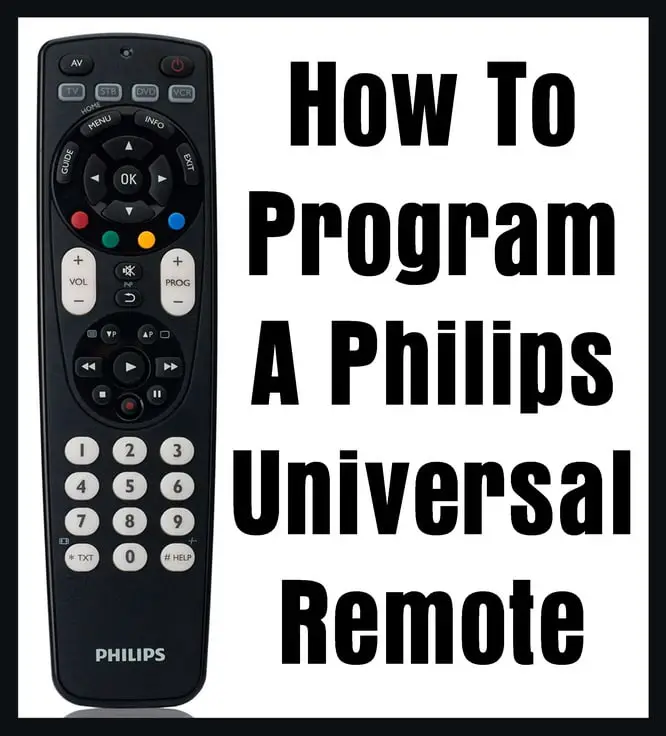 Philips Universal Remote – How To Program
How to program Philips remote:
- Turn on the device you wish to program to operate with the Philips Universal Remote Control.
- Hold down the “Code Search” button on the remote control.
- Release the button after the red indicator light blinks.
- Press the device button, such as “TV” “CLB” “VCR” or “SAT” This will make the indicator light blink off and then back on.
- Keep pressing the “CHAN +” button until the device changes channels.
- When the TV changes channels again, stop.
- Press the “Mute” button to save the code in memory.
Philips remote code search:
- Turn device ON that you are programming the remote for. TV/AUDIO/ETC
- Tap the Function button. TV/AUDIO/AUX
- Tap the Setup button until the light blinks twice.
- Enter the code 991.
- Press POWER and Function button until component turns off.
- Once component turns off press Setup to lock the code.
Need help with your Philips remote? Please leave a comment below and we will assist.

Marilyn,
Here is our Insignia TV Remote Codes Page.
-CUR
I need the code for Philips universal remote for a insignia tv, thanks ( and instructions)
Roberto Ornelas,
Try using these codes for your Samsung DVD…
Samsung 20490, 20573, 20199, 20820, 20899, 21044, 21075, 21470
-CUR
I’m trying to get use an older Philips remote for a Toshiba LED TV (65L350U)
I need the codes for Samsung DVD
M Johnson,
Try using the Code # 10000
-CUR
I trying to find the code for a older model TV by oCosmo Communication Corp.
Chanelle,
Try checking our Dynex TV remote codes page.
-CUR
I need a remote code for my Dynex TV.
Julio,
Try using the remote code 1023 for your Capello DVD player.
-CUR
Tracee,
SONY DVD Player Remote Codes = 31033, 31069, 31070
-CUR
I need remote Codes for a Sony DVD player.
I have a Philips universal control and I was wondering if there is a code for a Capello DVD player. Thanks
Grant,
Hitachi TV REMOTE CODES 1004, 1009, 1010, 1013, 1053, 1057, 1058, 1065, 1078, 1083, 1113
-CUR
I have a Philips universal remote and need the code for a Hitachi 57F510 TV.
Stephanie,
For a Dynex DVD player, the codes 0135, 135, 10463, and 10463 should work.
-CUR
I have a Philips universal and need the code for a Dynex DVD player.
Lori,
The remote codes for an Olevia TV are: 11610, 11240, 11331, 11144
-CUR
Trunion,
The remote codes to operate your Sharp Aquos TV with a programmable universal remote control:
002, 013, 014, 111, 502, 509, 712, 812, 813, 913, 918, 0039, 0093, 0165 and 0386.
The codes to operate televisions using a Sharp brand universal remote control use 2 digits long and run from 01 thru 18.
-CUR
I am in need of codes for my Sharp Aquos TV.
Hi! I need to program a Philips Universal remote to an Olevia TV and am wondering what the code is? Thanks in advance!
Cortney Bunt,
ILO TV Remote Codes:
0171, 0179, 0180, 0463, 1000, 1004, 1030, 1035, 1054, 1090, 1133, 1168
-CUR
I need to program a phillips universal remote to an older ilo tv please so I can watch a movie with my husband.
Rose Simmons,
Emerson TV 4 Digit Remote Codes:
0181, 0198, 0205, 0207, 0263, 0490, 0650, 3005
-CUR
I have a Philips universal and need code for Emerson TV, Thanks