
Codes For Universal Remotes has the remote control codes you need to control ALL your devices and components. Find your TV, Television, DVD, Blu-Ray Player, Receiver, Satellite BOX, Cable BOX, VCR players, Combo players, Media BOX, and Surround Sound component codes all in one place. We list ALL the codes you will need to make your universal remote control work with all the audio and visual equipment in your home theater.
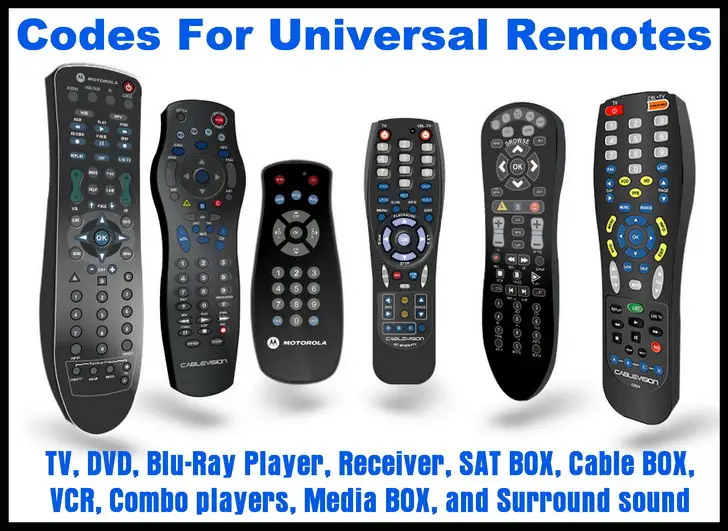 Remote codes for TV DVD AUDIO VIDEO
Universal remote controls can control audio and video devices of just about any brand and model number. For each of your devices you will have to enter a 2, 3, 4, or 5 digit Device Code into the universal remote control. We will help you find the right Device Remote Code for your audio and video equipment. Your remote control model number is usually listed inside the battery compartment or on the back of the remote.
HELPFUL TIP: If your remote control uses a 3 digit setup code, simply drop the first zero from any remote code you find on our site that is 4 digits.
Here are TV remote control codes for Aiwa TVs, Avera TVs, Dynex TVs, Element TVs, Emerson TVs, HiSense TVs, ILO TVs, Insignia TVs, JVC TVs, LG TVs, Magnavox TVs, Panasonic TVs, Philips TVs, RCA TVs, Samsung TVs, Sanyo TVs, Sceptre TVs, Seiki TVs, Sharp TVs, SONY TVs, TCL TVs, Toshiba TVs, Upstar TVs, Vizio TVs, Westinghouse TVs, XENON TVs, and Zenith TVs.
If you do not see the TV, DVD, Blu-Ray Player, Receiver, SAT BOX, Cable BOX, Roku, VCR, Media BOX, or Surround sound component on this page, look to the right sidebar as we will be adding new remote codes for ALL components.
We now have a full page of remote codes for video projectors for all brands of projectors, and an app that you can use on your phone to control a video projector.
You can try searching in the SEARCH BOX if you need to find a specific remote code. If you see that we do not list the component that you need a remote code for, please leave a comment and we will answer you question or create a new page for that particular TV or media component. Here are Vizio TV Universal Remote Setup Instructions.
Below is a general way to program your universal remote control…
Setup one component at a time and you’ll move quickly through your system.
STEP 1:
Turn on the component you want to activate.
STEP 2:
Point your universal remote toward the component and press the button Component button (TV for TV, DVD for DVD, etc.)
While holding the button down, type in the Device Code assigned to your brand then release both the Component button and the number key to save the code.
OR
Press and hold the component button you choose until it blinks, then type in device code and press enter.
The light will blink to confirm that the code has been stored.
STEP 3:
Point the remote control at the component you just programmed.
STEP 4:
Press the power button. If it turns off then you know it is programmed properly.
Check to be sure everything works before you move to the next component.
Press the POWER ON button to turn the component back on.
Test the VOLUME and CHANNEL buttons (or PLAY and STOP buttons for DVD). Repeat Steps 1-4 to activate the rest of your components.
There have been many asking… How To Control The Volume Of A Soundbar With A Cable or Satellite Remote?
If you need a Device Code for your Universal Remote, leave a comment below and we will get you the code you need to program your component.

I have a 27 inch Symphonic TV. I have a universal remote but I cannot find the code for it. If you could please help me I appreciate it very much!
Ariel Francesse,
Digital Stream code = 52303
-CUR
Christine,
We need the actual manufacturer of the cable box. Suddenlink is just a provider that gets them branded with their name. They are likely made by Cisco, Scientific Atlanta, Pace, or Motorola.
Can you tell us the actual brand?
-CUR
I need Digital Stream codes to setup an old Sony RMv202 universal remote.
Betty Carr,
Proscan DVD Player Remote Code = 0522
If that does not work, what is the model number of your 5 in 1 universal remote control?
-CUR
Aimee Gallman,
Use the remote codes 20047, 10154, 10159, 10051, or 10250 for your Sanyo Sound Bar.
Try searching on our Sound Bar Remote Control Codes page if you need further assistance.
-CUR
Rosa,
Hyundai DVD Player Remote Codes = 0766, 0783, 0850.
-CUR
Sk,
If you have the On-Q Home Systems Remote 1060, then you can control your TIVO using the remote codes = Tivo 21503, 21588, 20618, 20636, 20739, 21996.
Check out this PDF file of your remote, it may help you further, On-Q Home Systems Remote 1060 PDF Remote Codes File.
-CUR
Steven Richardson,
Philips DVD Player Remote Codes = 0503, 1914, 1911, 0675, 0539, 0646, 0885.
-CUR
Lisa,
Senzu TV Remote Codes = 201, 205, 000, 297, 257.
-CUR
I need a code for Senzu TV.
I do need the code for Philips DVD player.
I have an on-q universal remote and I’m trying to program it to operate my TiVo cable box from sudden link.
I need a code for an RCA universal remote to control a Hyundai DVD player.
Need remote codes for SR-9800HD (Starsat DVB HD).
I need the code for my universal remote for a Sanyo sound bar.
I need code for a Proscan DVD player with a 5 in 1 universal remote control.
I need a code for a Suddenlink Cable box Dolby DC732 for a GE universal remote.
Diana,
Are you referring to a Philips PIXEL TV?
If so try the remote codes 0711 or 1234.
If that does not work or you are referring to a different TV, let us know.
Also, what type of remote control are you using?
-CUR
Lenny Welch,
Please check this page and tell us which COX cable universal remote you have.
Then let us know what model number you have and we can guide you through the setup process.
You want to use your COX remote to control your SONY DVD player… YES?
-CUR
John Thompson,
There are multiple Apex Converter boxes, can you give us the model number to be sure?
Is it the Apex DT250? If so here is the Apex Box manual in PDF form.
If possible, can we have the model number of your Android remote control also?
-CUR
I need a code for an Android universal remote to control an Apex converter box.
I have a Cox cable universal remote and I’m trying to program a Sony DVD player in it for a Samsung 48 inch Smart TV.
Please note that I have had one DVD player program into this certain remote, can you please help me with a code for the current DVD player thank you in advance.
I need a code for a Pixel TV.
Paul Riethmuller,
We have no codes in our database… However…
On the Panasonic HDD remote, press and hold OK and 2 for 5 seconds.
This will switch your remote to a separate set of codes which now match your PANA HDD recorder.
-CUR