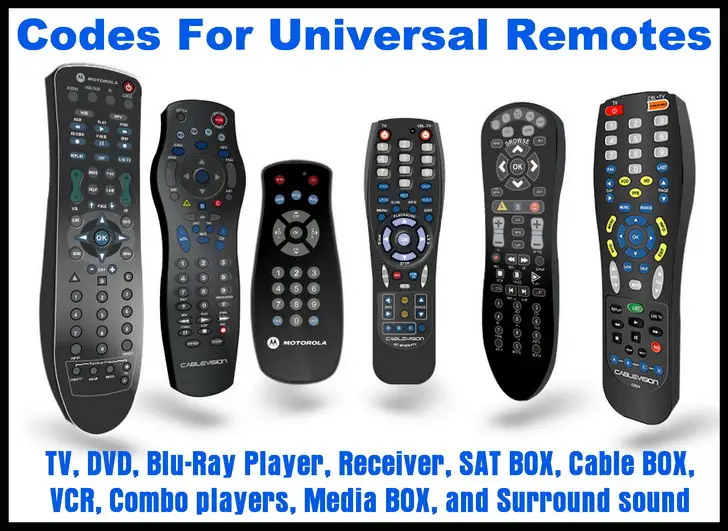
Codes For Universal Remotes has the remote control codes you need to control ALL your devices and components. Find your TV, Television, DVD, Blu-Ray Player, Receiver, Satellite BOX, Cable BOX, VCR players, Combo players, Media BOX, and Surround Sound component codes all in one place. We list ALL the codes you will need to make your universal remote control work with all the audio and visual equipment in your home theater.
 Remote codes for TV DVD AUDIO VIDEO
Universal remote controls can control audio and video devices of just about any brand and model number. For each of your devices you will have to enter a 2, 3, 4, or 5 digit Device Code into the universal remote control. We will help you find the right Device Remote Code for your audio and video equipment. Your remote control model number is usually listed inside the battery compartment or on the back of the remote.
HELPFUL TIP: If your remote control uses a 3 digit setup code, simply drop the first zero from any remote code you find on our site that is 4 digits.
Here are TV remote control codes for Aiwa TVs, Avera TVs, Dynex TVs, Element TVs, Emerson TVs, HiSense TVs, ILO TVs, Insignia TVs, JVC TVs, LG TVs, Magnavox TVs, Panasonic TVs, Philips TVs, RCA TVs, Samsung TVs, Sanyo TVs, Sceptre TVs, Seiki TVs, Sharp TVs, SONY TVs, TCL TVs, Toshiba TVs, Upstar TVs, Vizio TVs, Westinghouse TVs, XENON TVs, and Zenith TVs.
If you do not see the TV, DVD, Blu-Ray Player, Receiver, SAT BOX, Cable BOX, Roku, VCR, Media BOX, or Surround sound component on this page, look to the right sidebar as we will be adding new remote codes for ALL components.
We now have a full page of remote codes for video projectors for all brands of projectors, and an app that you can use on your phone to control a video projector.
You can try searching in the SEARCH BOX if you need to find a specific remote code. If you see that we do not list the component that you need a remote code for, please leave a comment and we will answer you question or create a new page for that particular TV or media component. Here are Vizio TV Universal Remote Setup Instructions.
Below is a general way to program your universal remote control…
Setup one component at a time and you’ll move quickly through your system.
STEP 1:
Turn on the component you want to activate.
STEP 2:
Point your universal remote toward the component and press the button Component button (TV for TV, DVD for DVD, etc.)
While holding the button down, type in the Device Code assigned to your brand then release both the Component button and the number key to save the code.
OR
Press and hold the component button you choose until it blinks, then type in device code and press enter.
The light will blink to confirm that the code has been stored.
STEP 3:
Point the remote control at the component you just programmed.
STEP 4:
Press the power button. If it turns off then you know it is programmed properly.
Check to be sure everything works before you move to the next component.
Press the POWER ON button to turn the component back on.
Test the VOLUME and CHANNEL buttons (or PLAY and STOP buttons for DVD). Repeat Steps 1-4 to activate the rest of your components.
There have been many asking… How To Control The Volume Of A Soundbar With A Cable or Satellite Remote?
If you need a Device Code for your Universal Remote, leave a comment below and we will get you the code you need to program your component.

Krista,
Use the Sharp TV Remote Control Codes page here.
-CUR
John Hammer Helmick,
Sanyo TV Remote Codes are here.
-CUR
RCA remote codes for Sanyo TV?
Need device setup remote code for 55″ Sharp aquos TV with universal remote by sharp EN2A27S.
No buttons to select from to select tv/dvd/set box etc.
Linda,
VIDAO TVs are made by HAIER… use universal remote code 10178.
Also if needed by anyone else, here are remote codes for other remotes for a Vidao TV:
Comcast or Direct TV Remote Control to Vidao TV: 100300
AT&T (U-verse) Remote Control to Vidao TV: 1043
RCA Universal Remote Control to Vidao TV: 0030
Dish Network Remote Control to Vidao TV: 506
-CUR
Chris,
Use the remote codes 3127 or 3032 for your Vortex TV.
-CUR
Christopher,
Can you give us the model number of your COMCAST remote and the model number of your RCA Converter Box?
-CUR
Lance,
Remote code for Pensonic DVD player is 863.
-CUR
Need to know the remote control code for my Pensonic DVD player.
I have a Comcast universal remote and I’m trying to get the code for an RCA converter box.
I need a remote code for Vortex TV 32″
Please send me a code for a Vidao television to link with an RCA universal remote.
Paul Adkins,
The ROKU stick has no IR ability.
No universal remote will be able to control the stick unless it uses the network like an Android remote.
Roku code for original ROKU box = 53061
Sigcus (Sigmac) TV Remote Codes = 10154, 10765, 10054, 10030, 11156, 10080, 10027.
-CUR
Need a remote code for a Roku stick and Sigcus TV.
Lynette,
Check the Seiki TV Remote Codes page.
-CUR
Ellis Kirkland,
Check the COBY TV Remote Codes page.
-CUR
Caleia Joness,
The Codes you need are located on the Vizio TV Remote Codes page.
-CUR
James Rogers,
Check the Sylvania TV Remote Control Codes page here.
-CUR
Im Looking for a code for a sony blu ray disc and dvd player,my universal remote im using is a philips universal.
Need a remote control code for a Vizio TV with an RCA universal remote control.
I need a remote control code for a Sylvania 19″ flatscreen TV.
I need a RCA universal remote control code to control my COBY LED 2326 TV.
Have a performers choice brand DVD model pck 2000. Can’t find code .
What’s the code to a pixel TV?
I need a code for a Coship converter box.